LyndaAi
An AI-native inbox that acts like an executive assistant.
We built Lynda to answer a simple question:
What if your inbox could think - and act - for you?
Instead of labeling emails or suggesting drafts, Lynda triages messages, moves them, writes replies in your voice, and builds a live agenda of what needs your attention.
Designed and shipped by a two-person team in under three months, Lynda blends retrieval, orchestration, and plain-language control into a fast, focused experience for busy professionals.
The Context
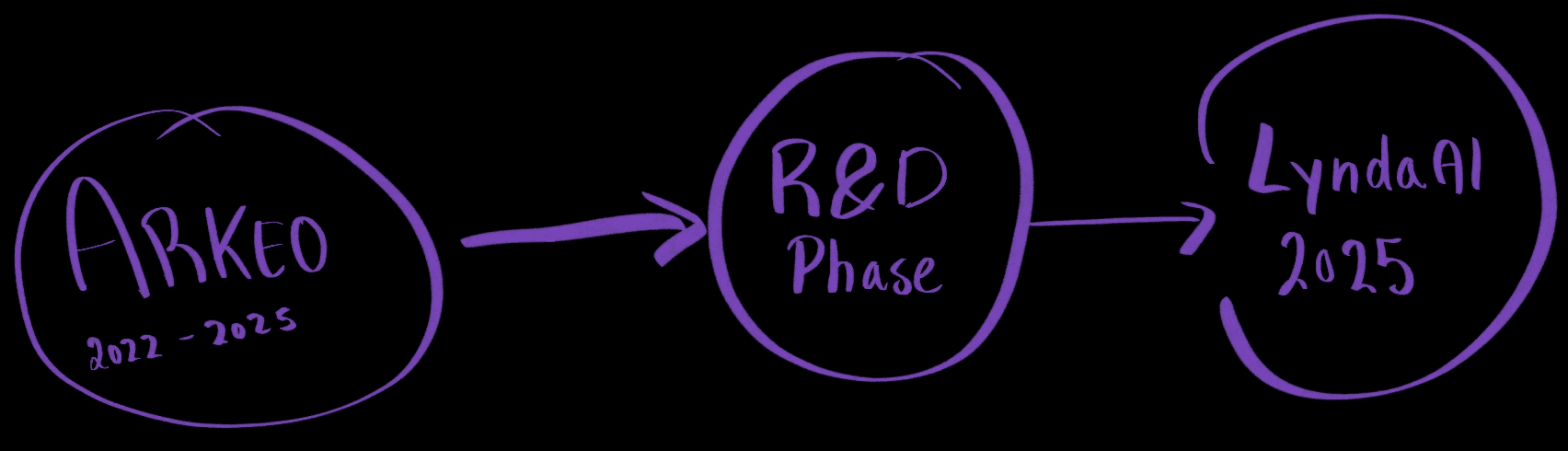
After two years building Arkeo, a sales pipeline analytics product, we shut it down BUT with a better understanding of how LLMs behave, especially their limits with memory, context, and retrieval.
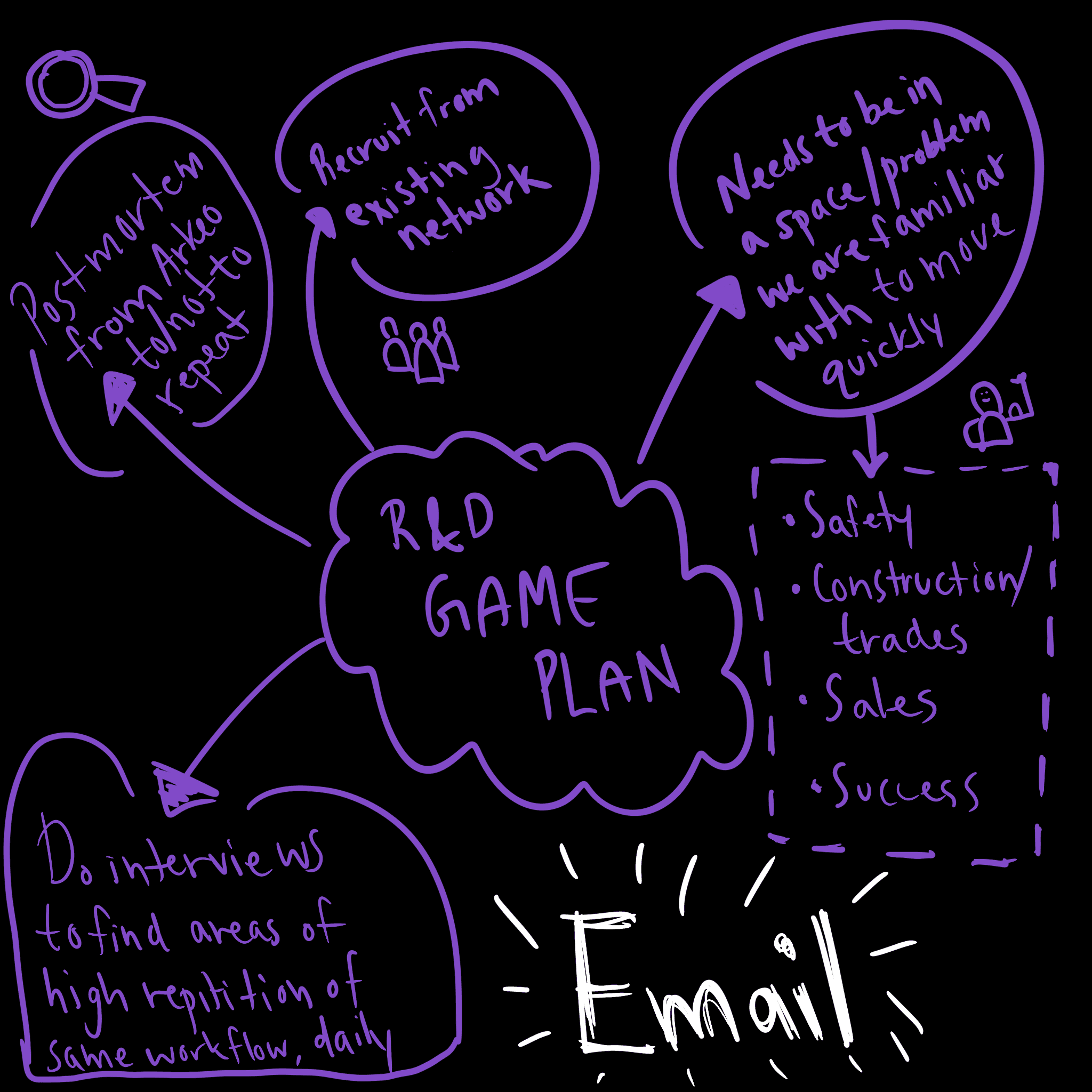
We took a few months of runway and focused on applying that learning to a sharper, more painful workflow: Email.
The Problem
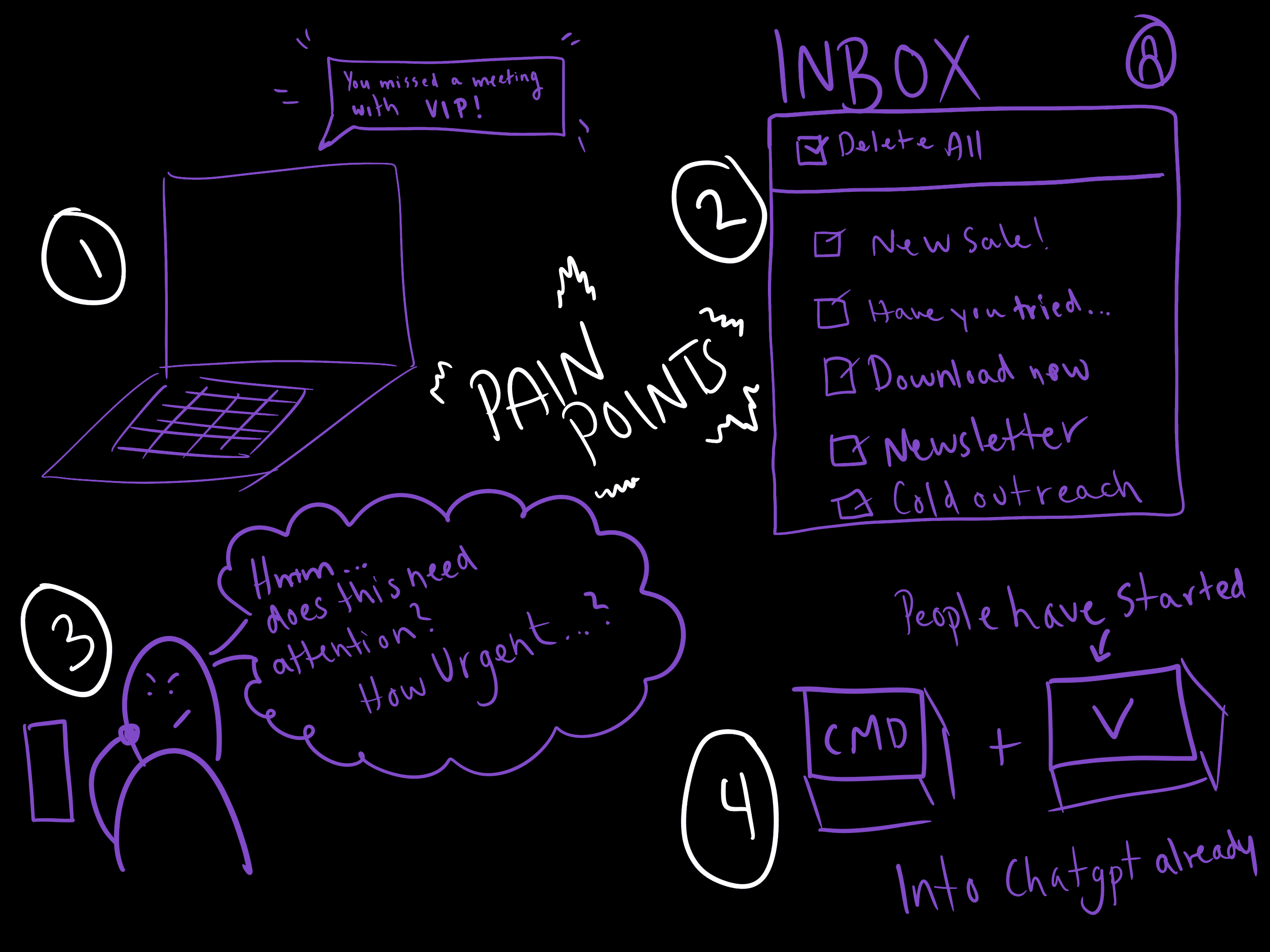
“I spend 8–12 hours a week just managing my inbox.”
-Almost everyone we spoke to said the same thing -
Insight & Design Principles
1. Start from a specific workflow, not the model.
The job-to-be-done is: “keep me on top of my email with minimal effort and zero nasty surprises.”
2. Make the LLM act, not just annotate.
It should triage, move, and draft- changing inbox state, not just tagging messages.
3. Use RAG/memory behind a focused UX.
Use embeddings and vector search to give the assistant context, but always surface this through a structured agenda, not a raw message list.
4. Feel like an executive assistant, not a chatbot.
The primary surface should be a daily agenda, with chat as a conversational control layer, not the other way around.earch, not just static prompts
Solution Overview
Concept Hypothesis
LyndaAI is an “executive-assistant-style” layer on top of Gmail:
Ingests and analyzes incoming emails.
Triages them into categories (needs response, newsletter, marketing, etc.).
Generates first-draft replies in the user’s voice.
Builds and maintains a live agenda of tasks and follow-ups derived from the inbox.
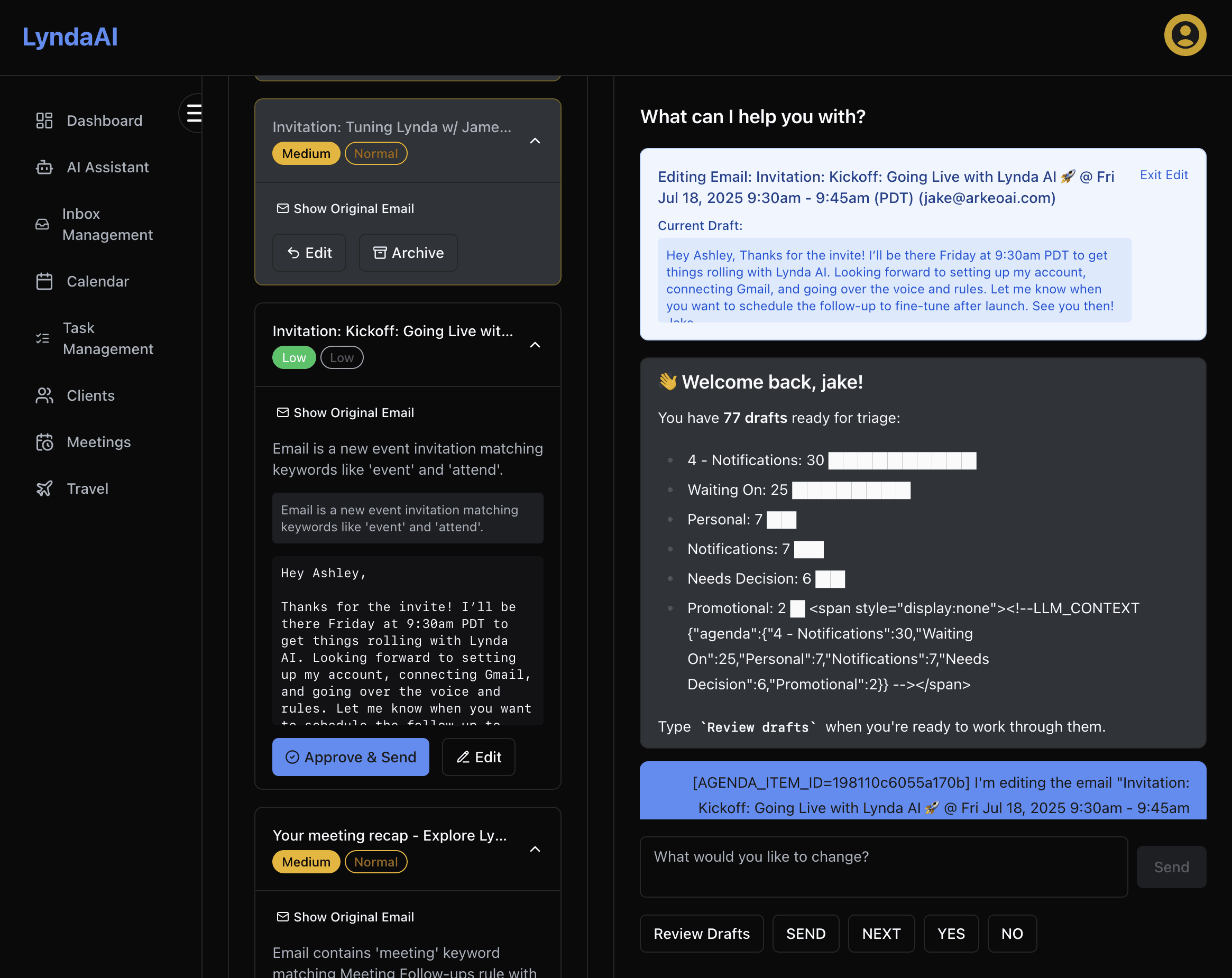
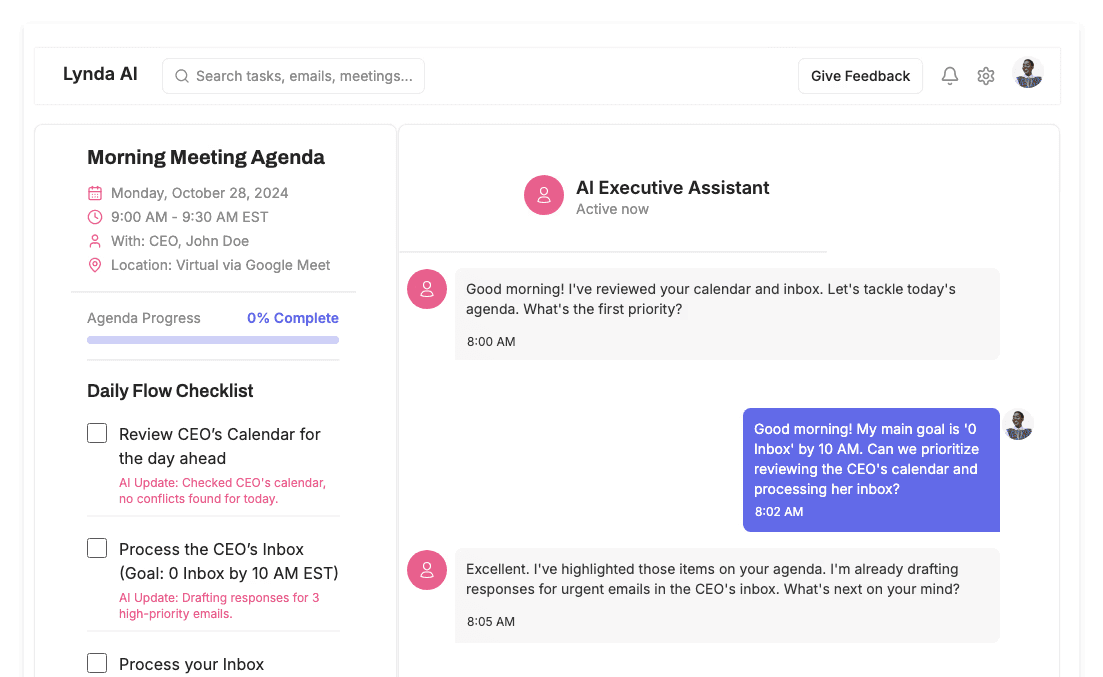
Lets the user control everything through a three-column dashboard: agenda, chat assistant, and email context.
Instead of living inside the inbox and scanning every subject line, users see a concise list of what actually needs attention, with drafts and quick actions ready.
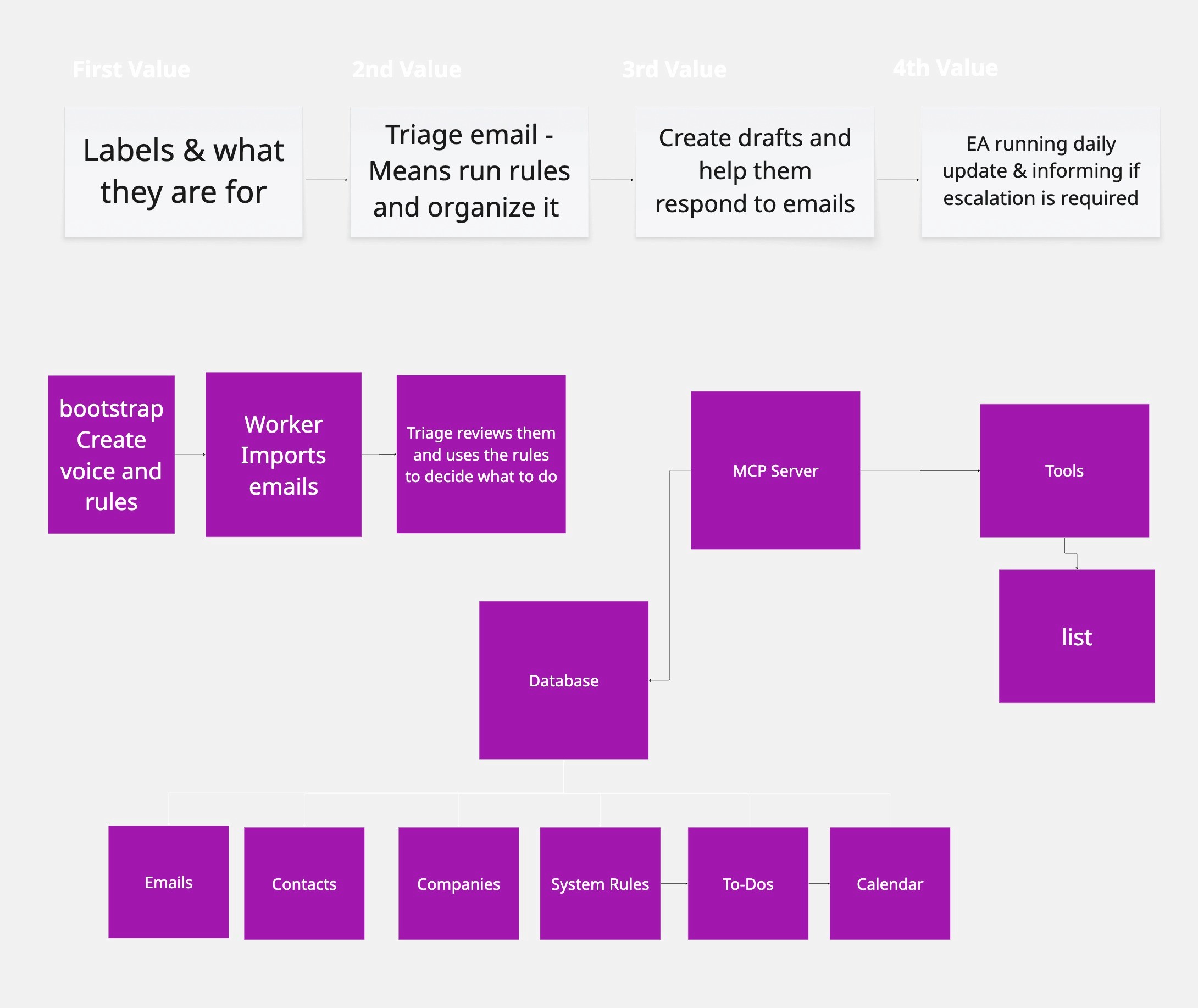
Architecture - High Level
The system is event-driven and built on GCP
Next.js/React app with a three-column layout:
Left: AgendaPanel – list of agenda items with status and progress.
Center: Chat - conversation with Lynda.
The white box at the top right is highlighting the context and actions the user is going to be interacting with through the orchestrator
Real-time updates via SSE (
/sse/updates), WebSocket-based chat, and REST for tools.
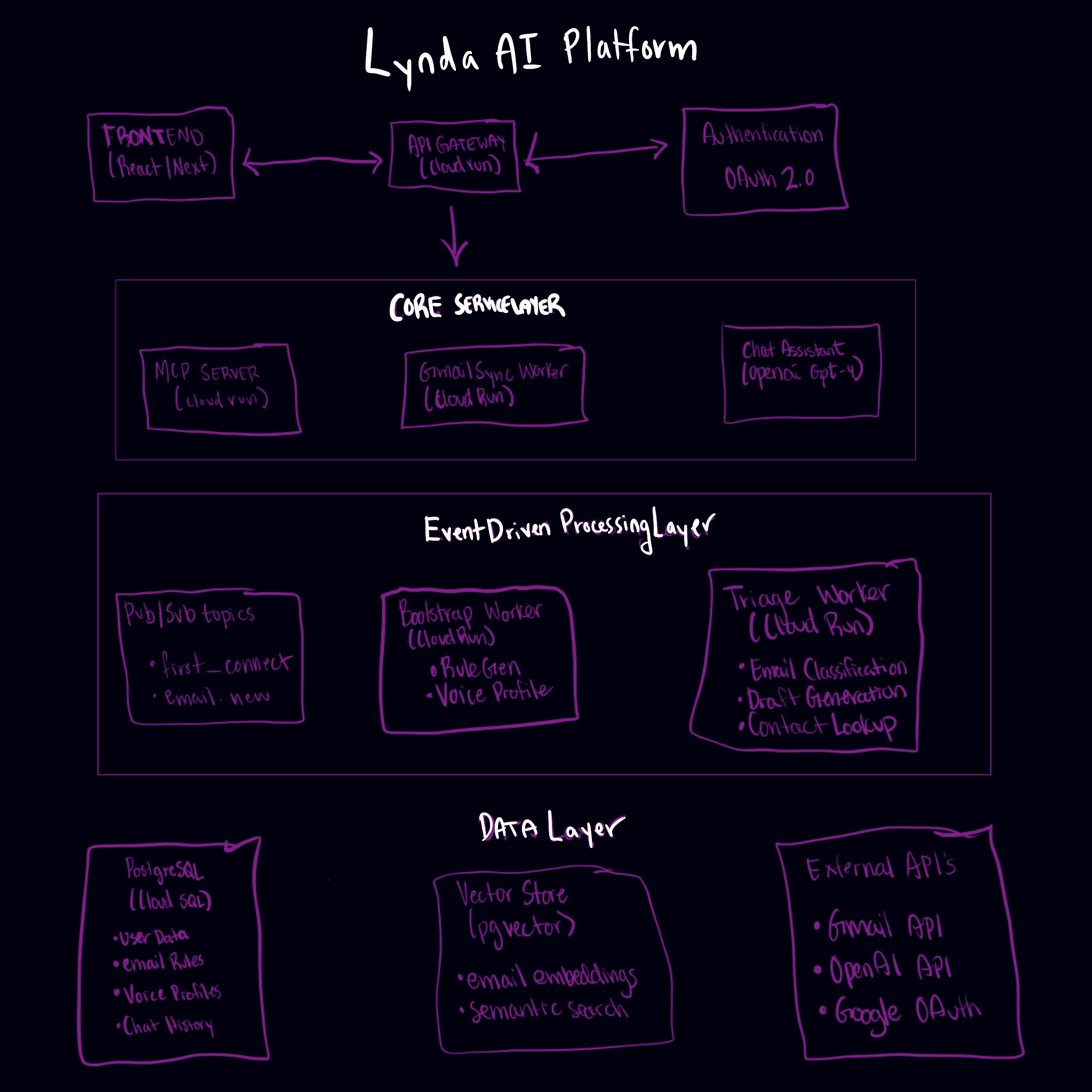
Cloud Run services:
Gmail ingestion & sync workers.
LLM orchestrator with a tool registry.
Triage workers and agenda-generation pipeline.
Postgres +
pgvectorfor structured data and embeddings.Pinecone for semantic search over email content.
Redis for rate limiting and (planned) cache/short-term memory.
Tools & Data Flow
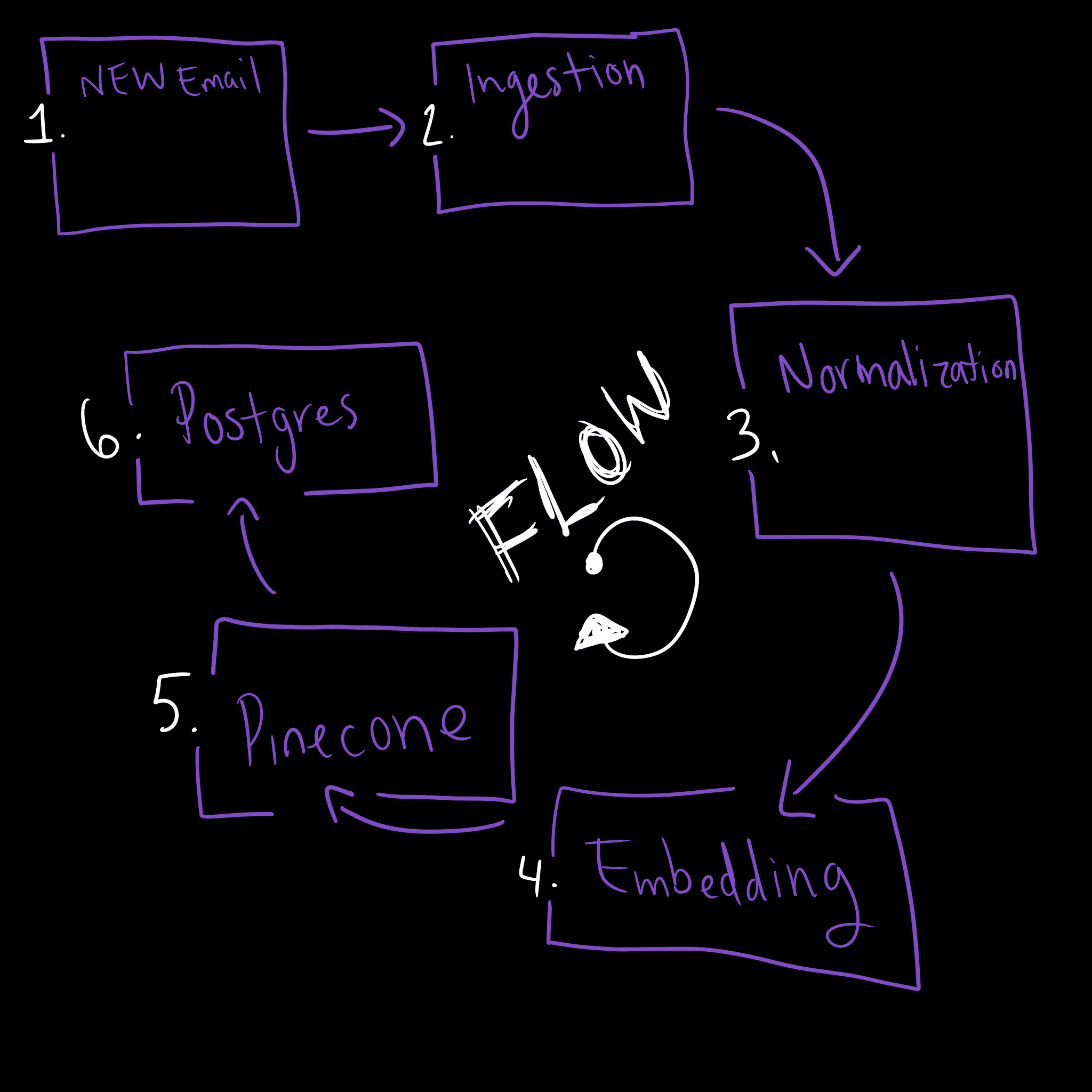
New email → ingestion → normalization → embedding → Pinecone + Postgres.
Triage tools call models to classify and prioritize messages.
Agenda tools create and update agenda items derived from those emails.
UX & Key Flows
LyndaAI was built for busy operators and execs drowning in email.
The UI surfaces only what matters - no inbox scanning, no decision fatigue.
Interface design is shifting: users now give plain-language instructions and expect systems to act.
This breaks the need for hardcoded workflows and opens space for agentic UX.
Lynda’s layout reflects that: agenda, chat, and context working as a control surface for a smart assistant.
It feels less like using software - and more like managing a capable team member.
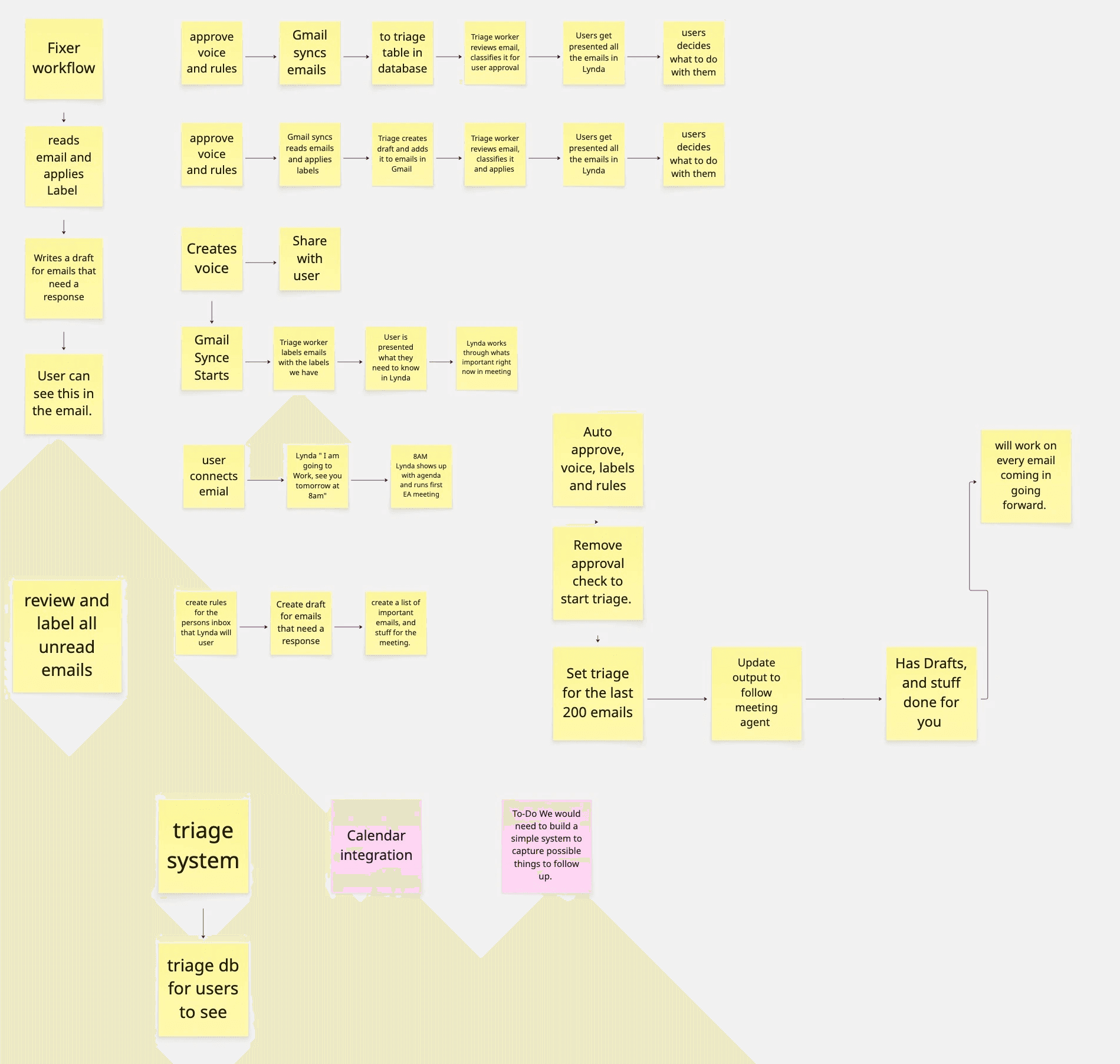
Digital Sketches / Lofi Work
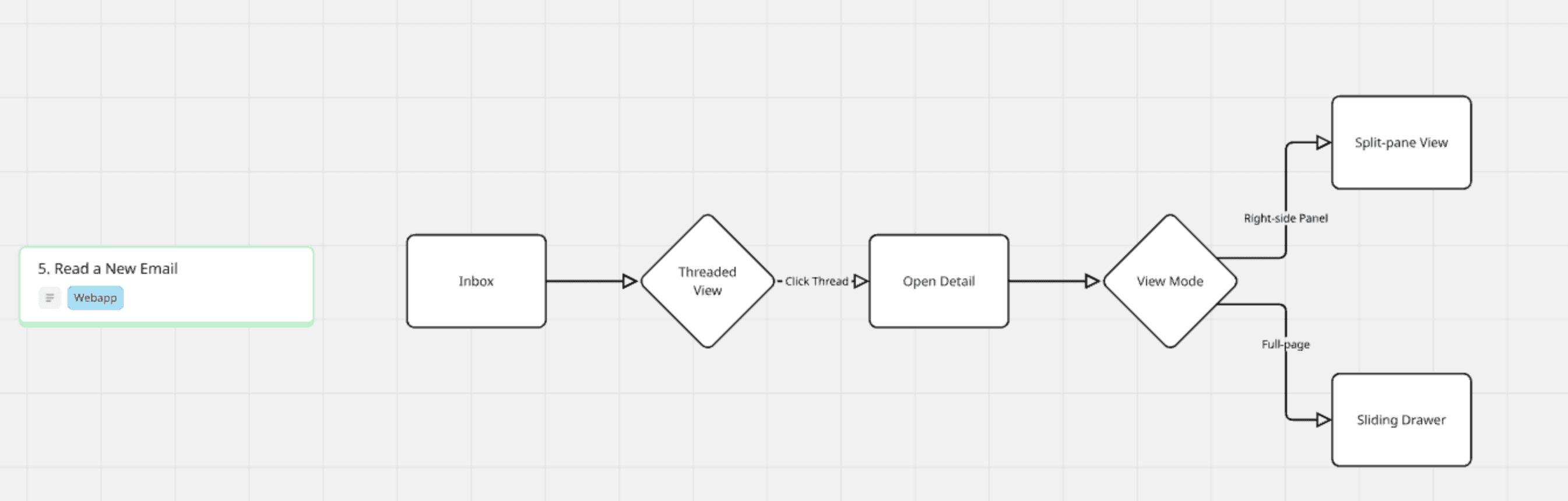
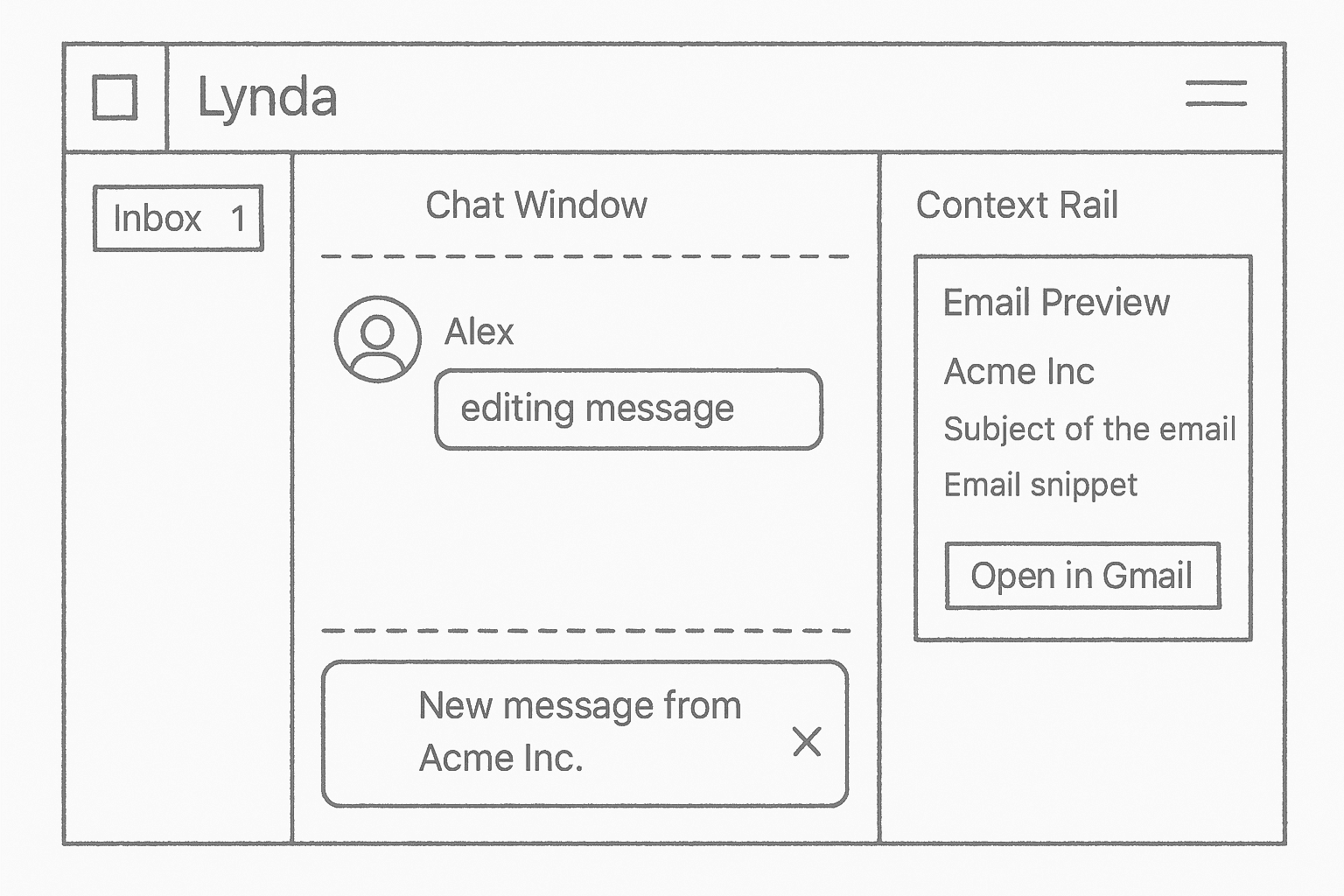
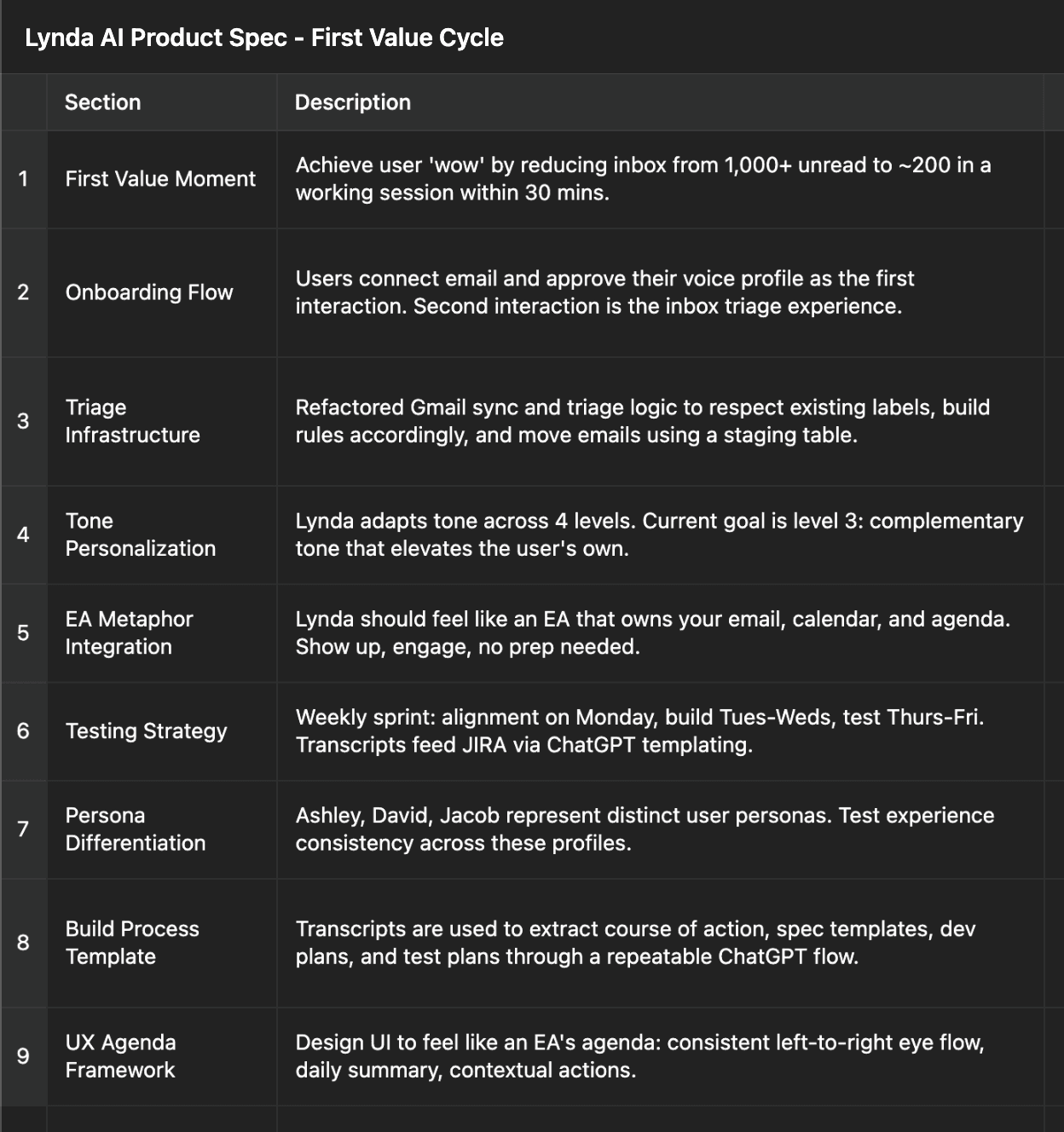
I tested 25-30 different generative design tools to see how I could speed up the documentation and ideation phases. I tracked ai- first UX/UI patterns for interacting with agents while also doing my usual design processes/exercises.
For the most part (as of Aug 2025) none of them where good for anything other than magic 8-ball style ideation or rough drafts.
The Miro's AI tool was the most practical at saving me time creating a very decent first draft user flows from prompts.
Frontend Prototyping w/ Cursor
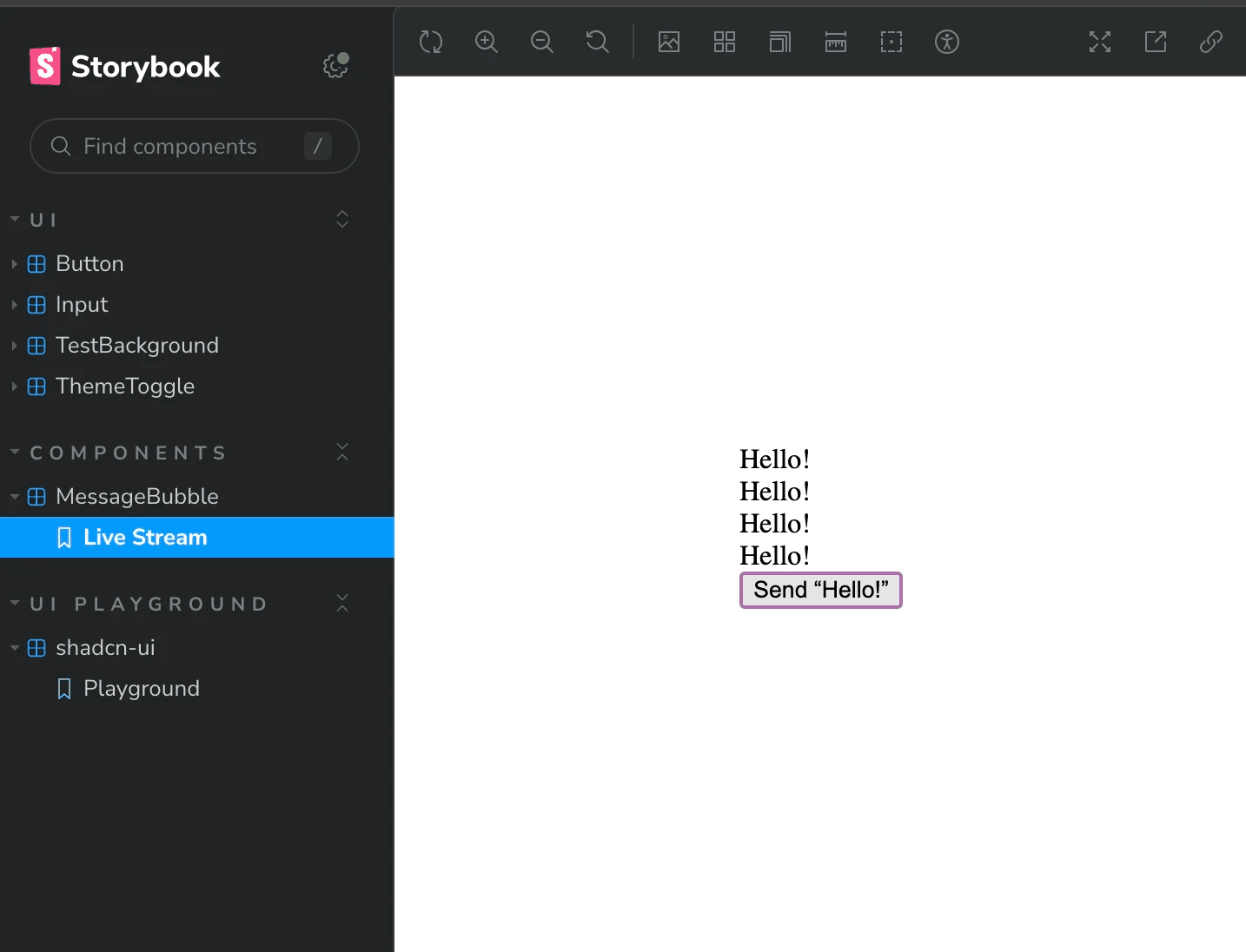
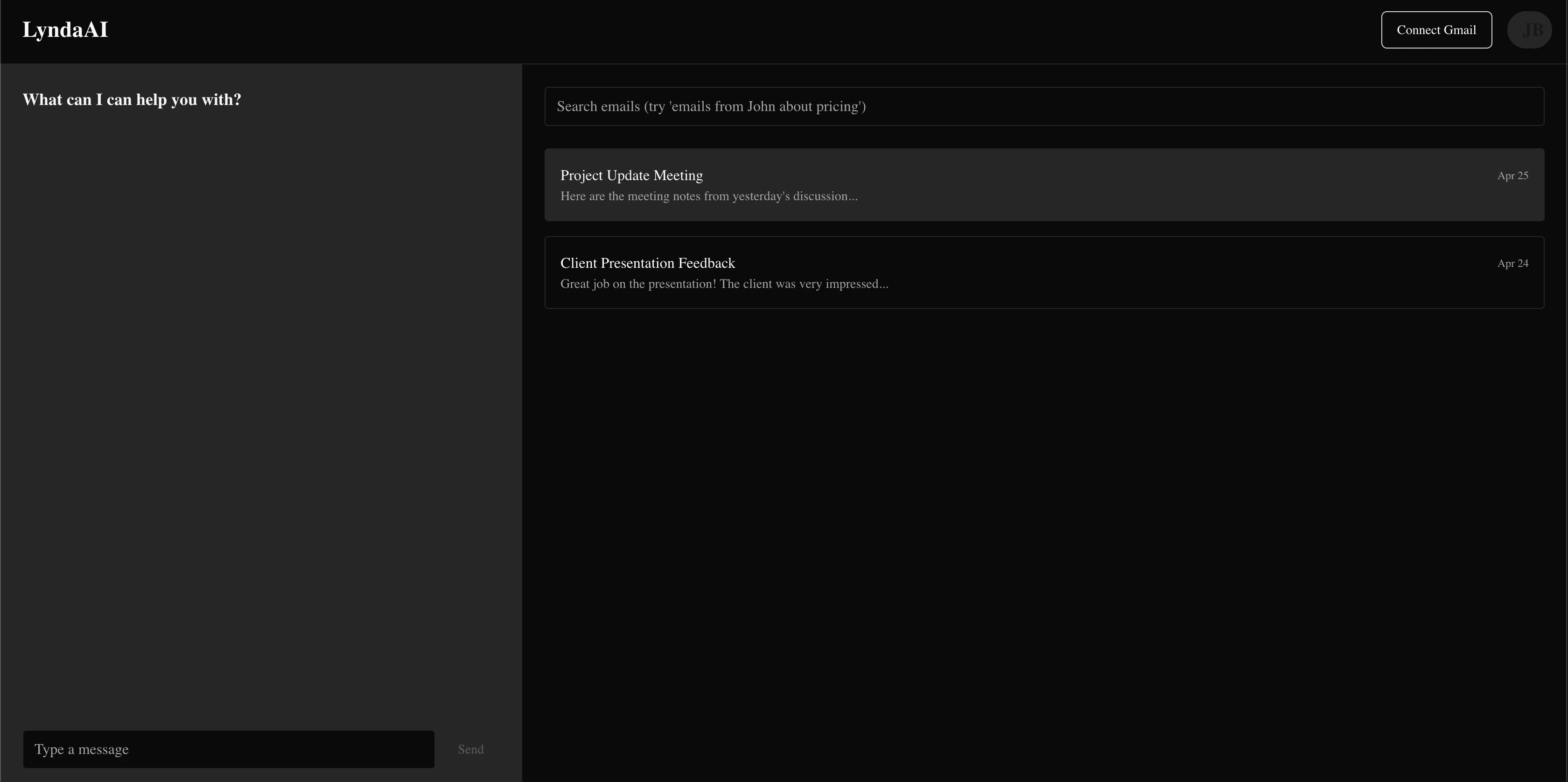
Used Arkeo's theme to make a dummy local site to show we could start to see Cursor and Codex writing code that actually made sensical outcomes.
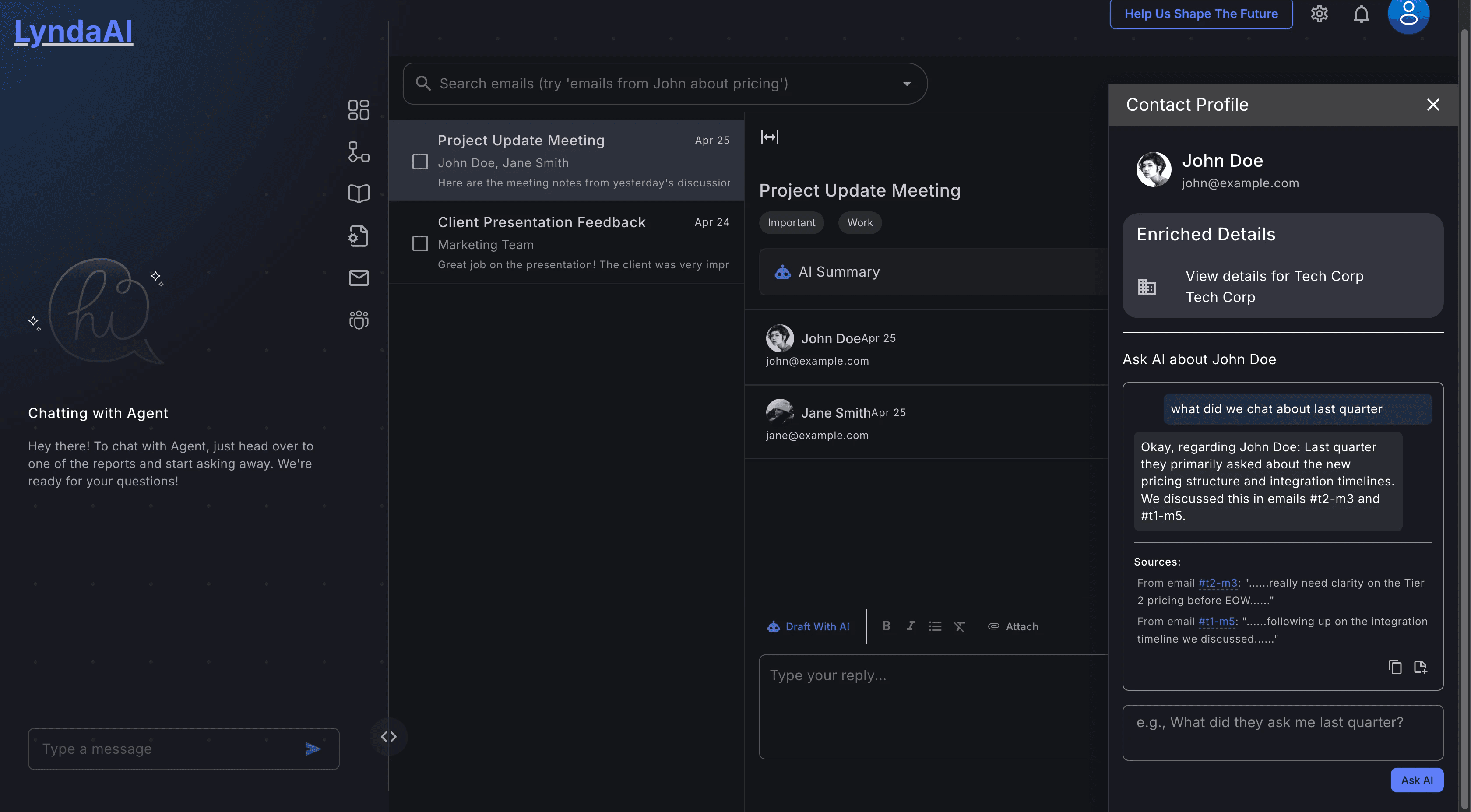
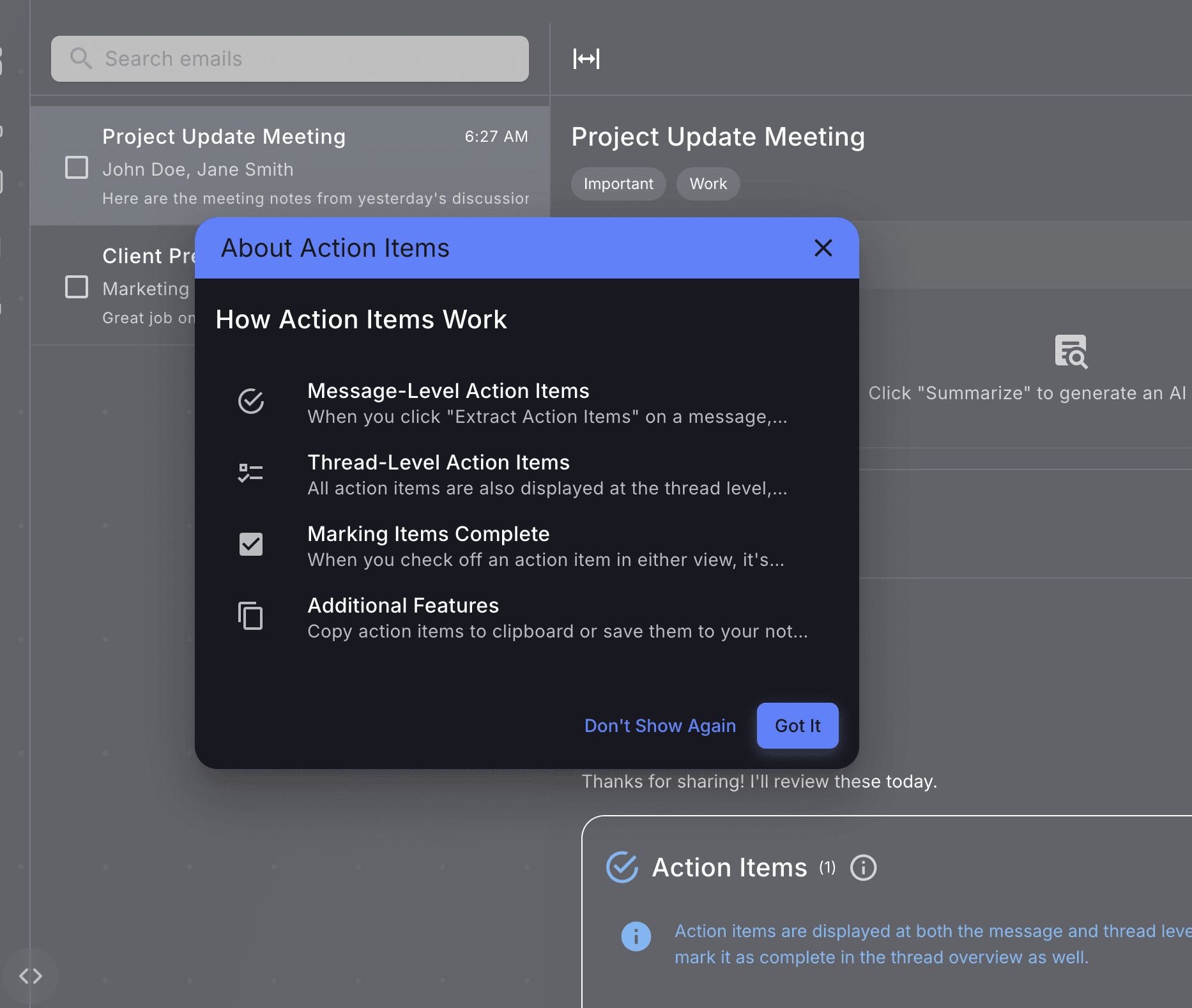
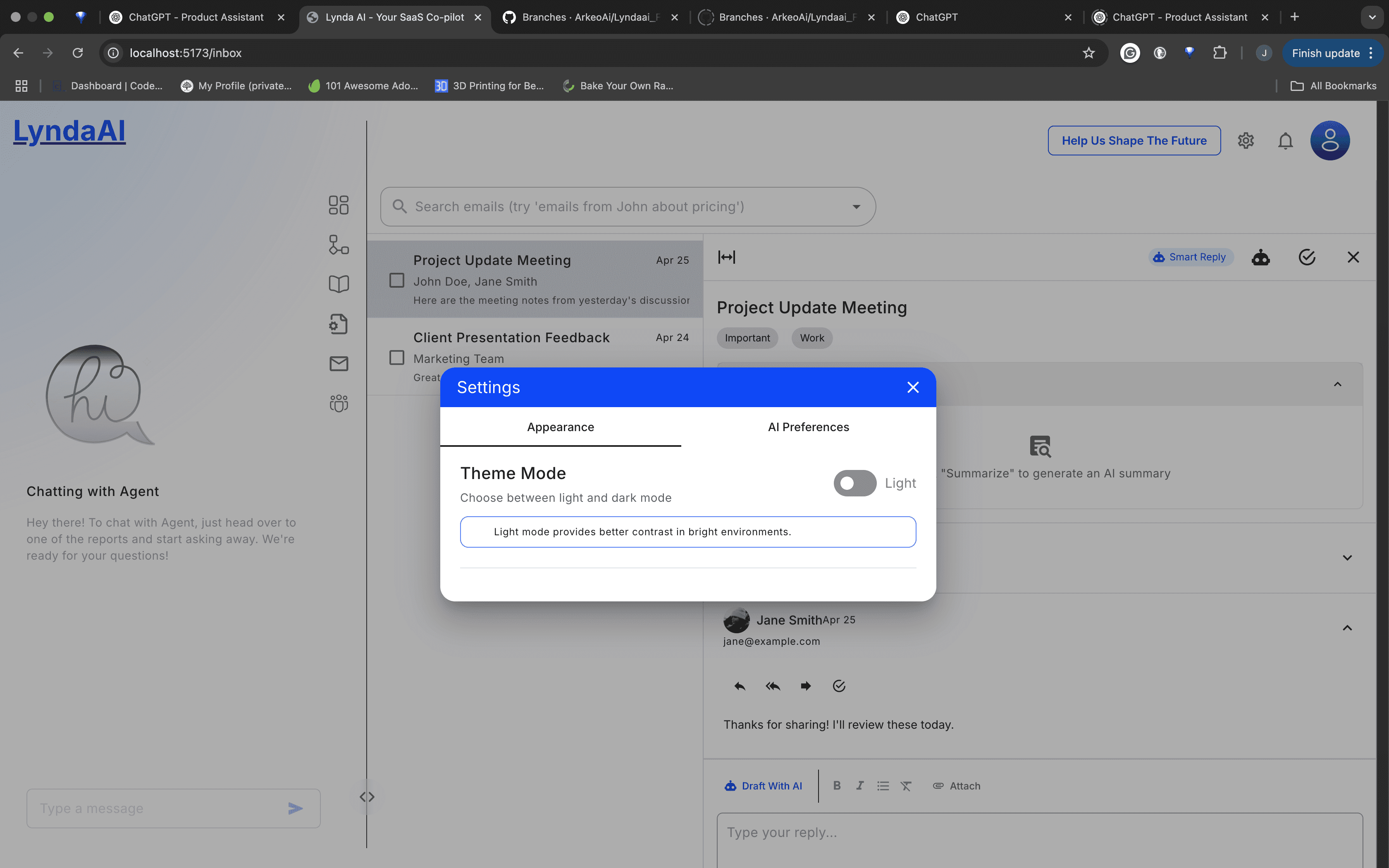
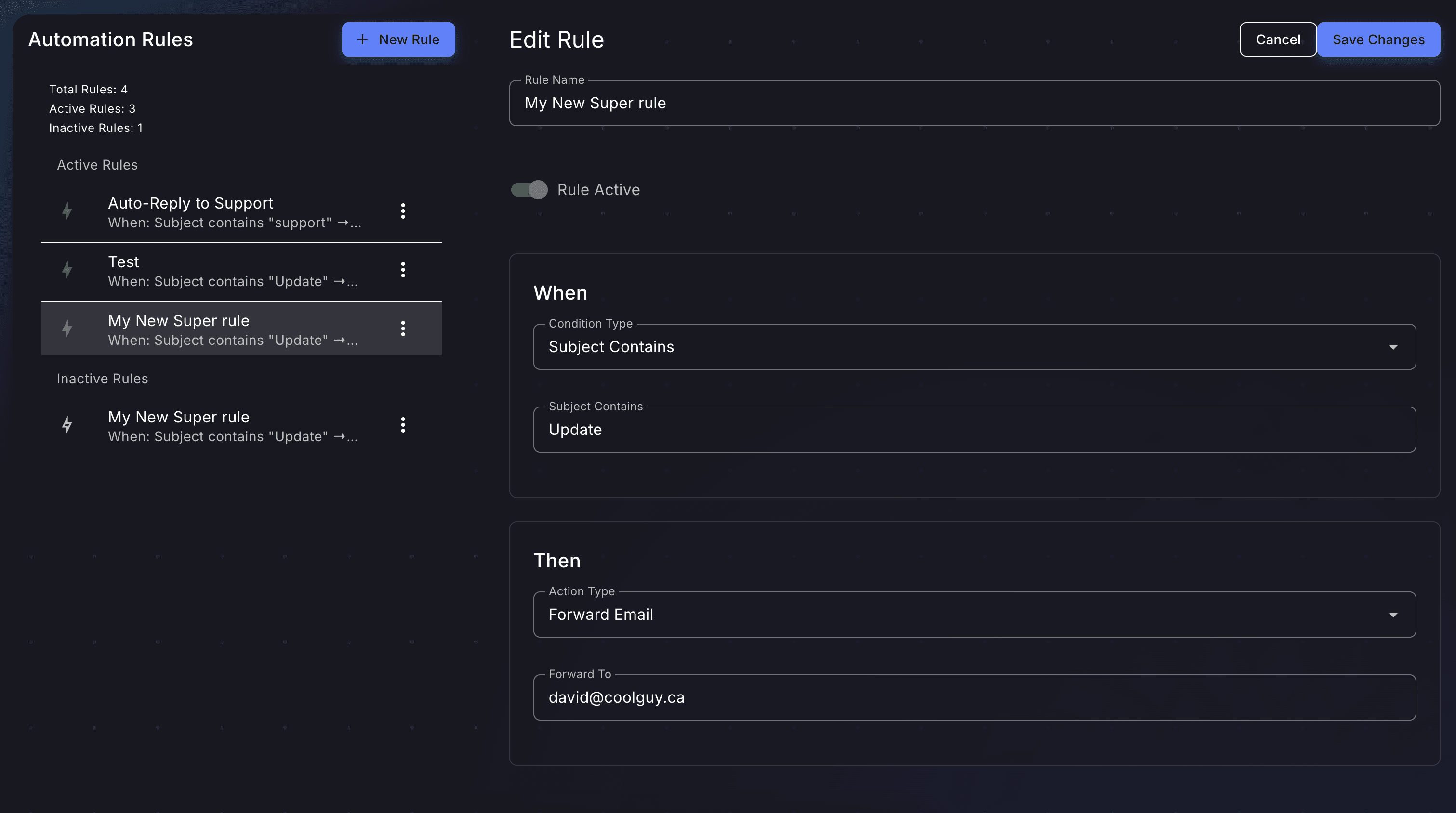
I learned all the ways Cursor would get loopy and how to set up the guardrails to prevent it again.
I'll follow-up to this with my prompting and my ai-coding "coworking" playbook- how to set up your project to have it behave with more precision.
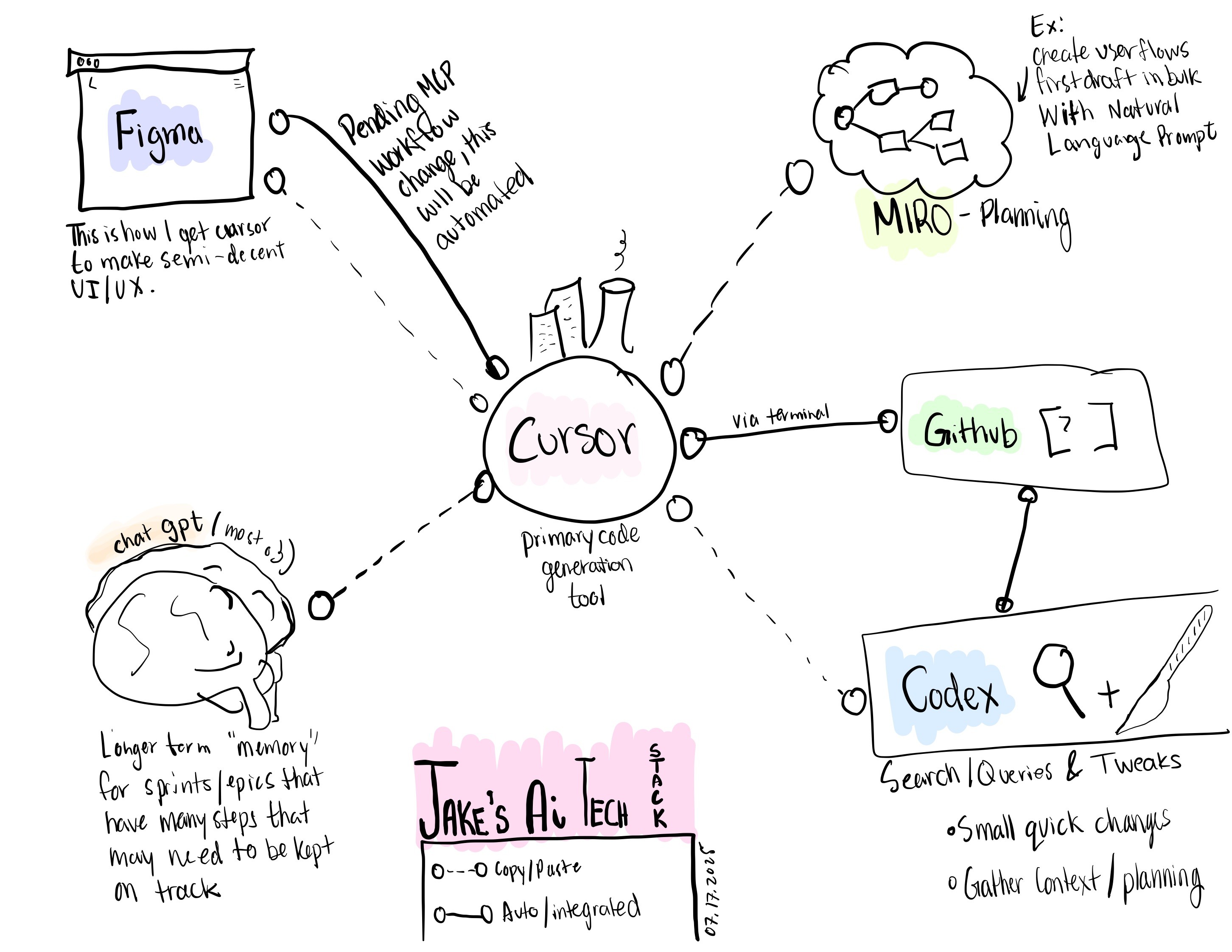
Sketches & Iterations
Working out what needs to be changed, implemented, feedback, ideas, and more
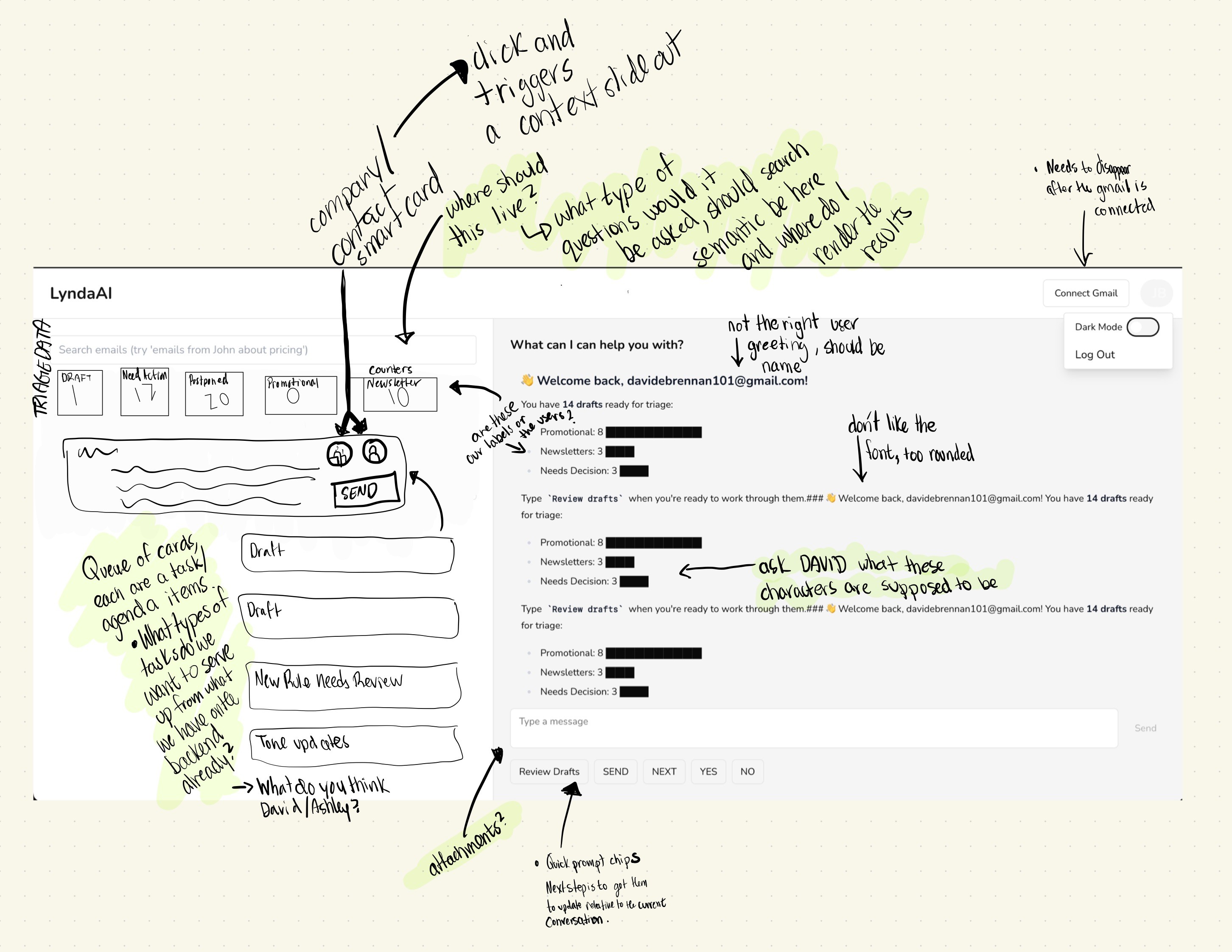
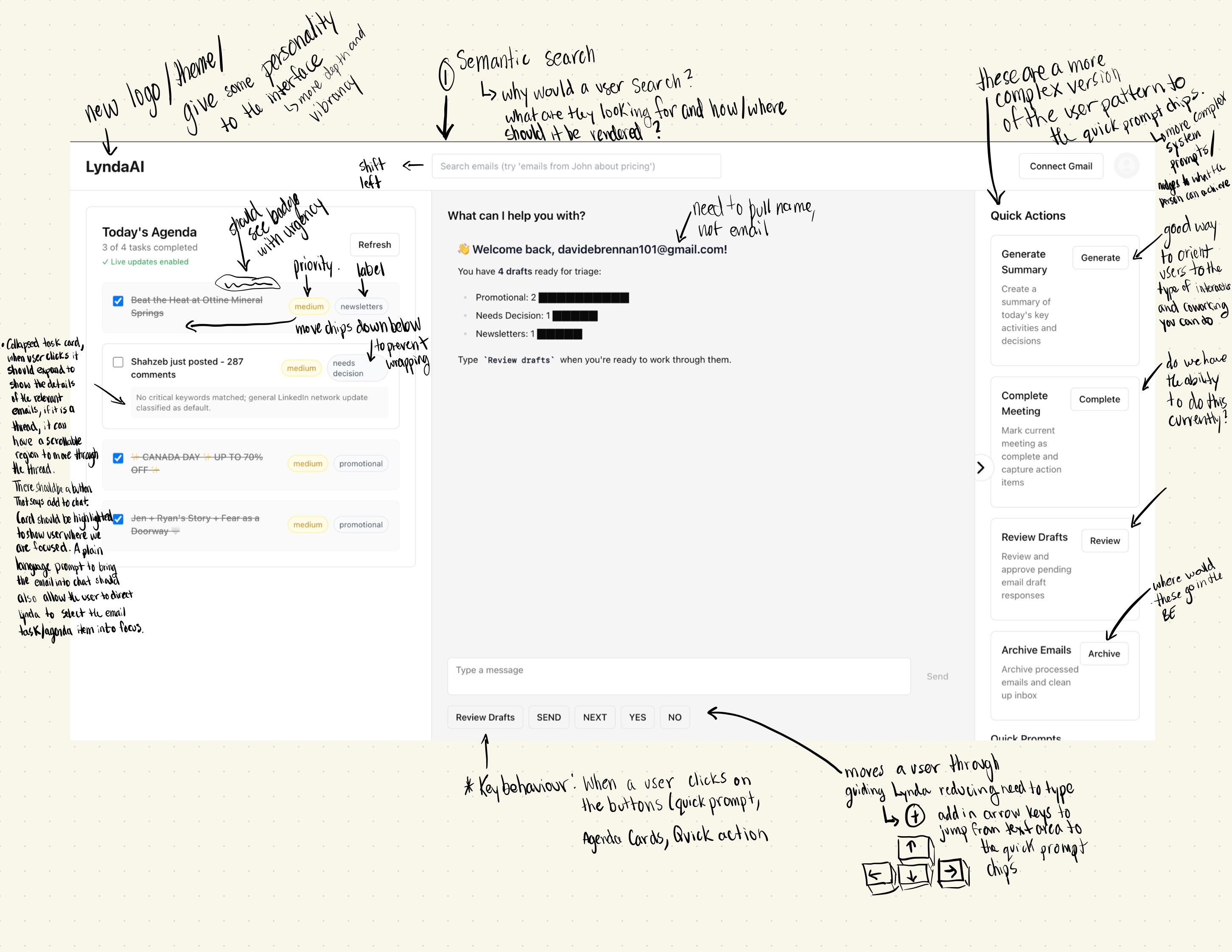
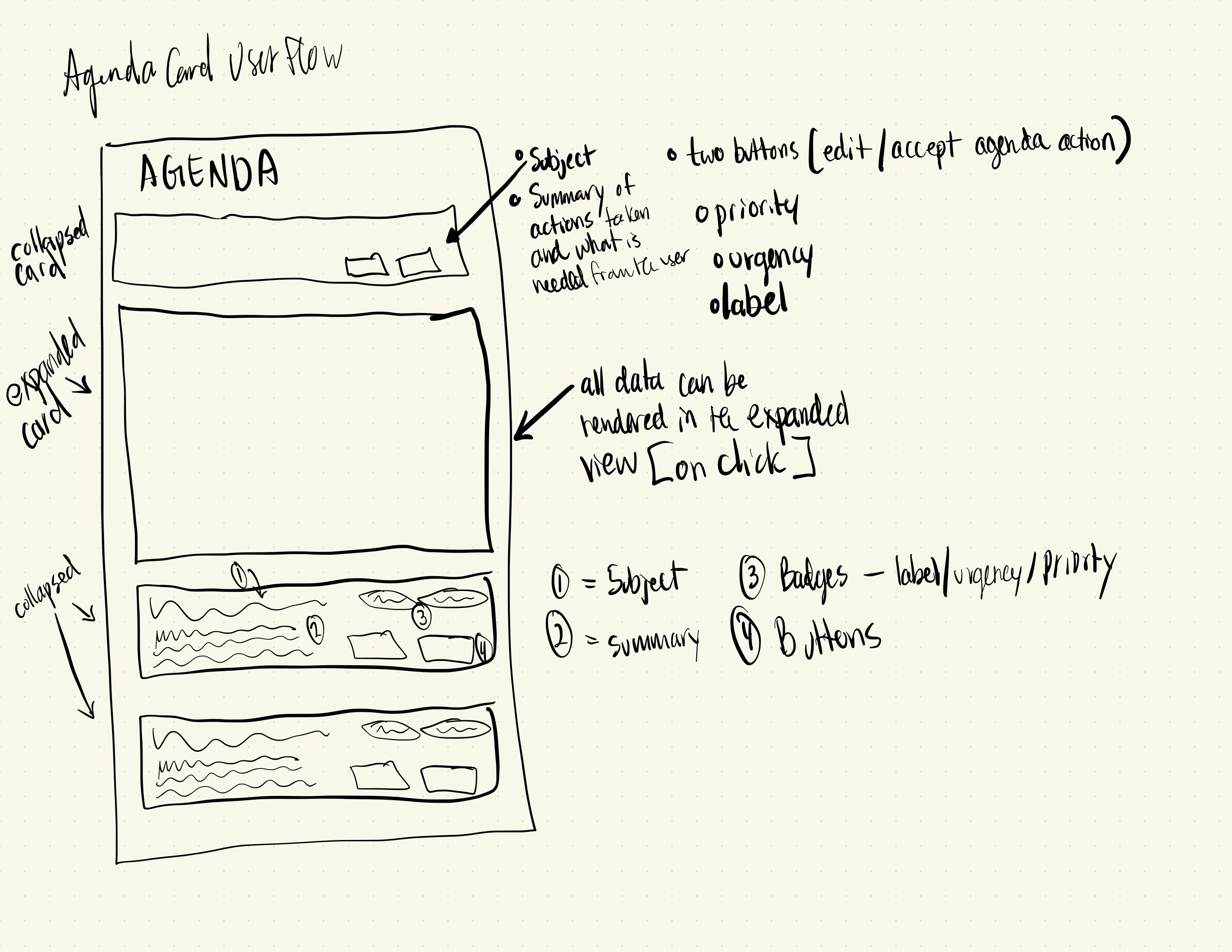
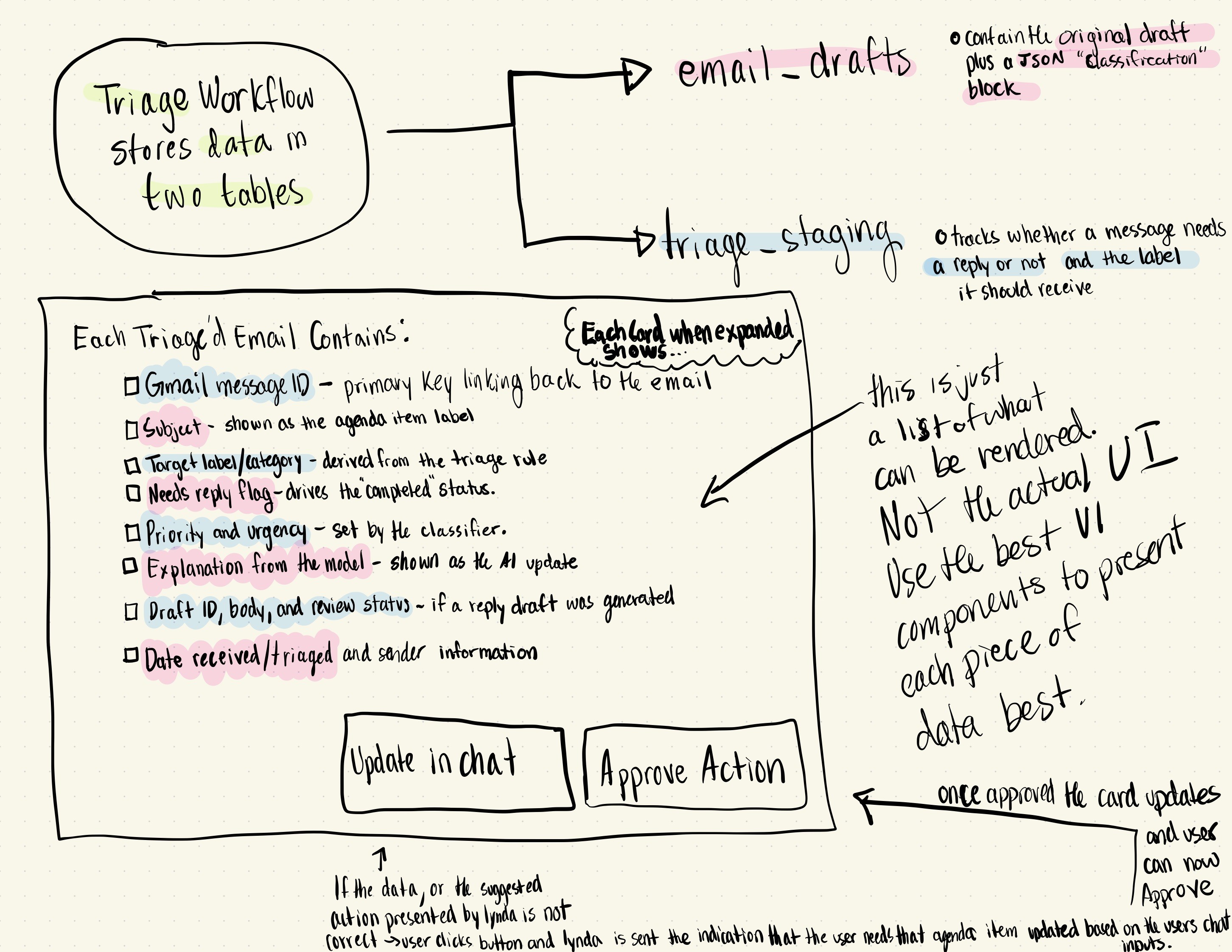
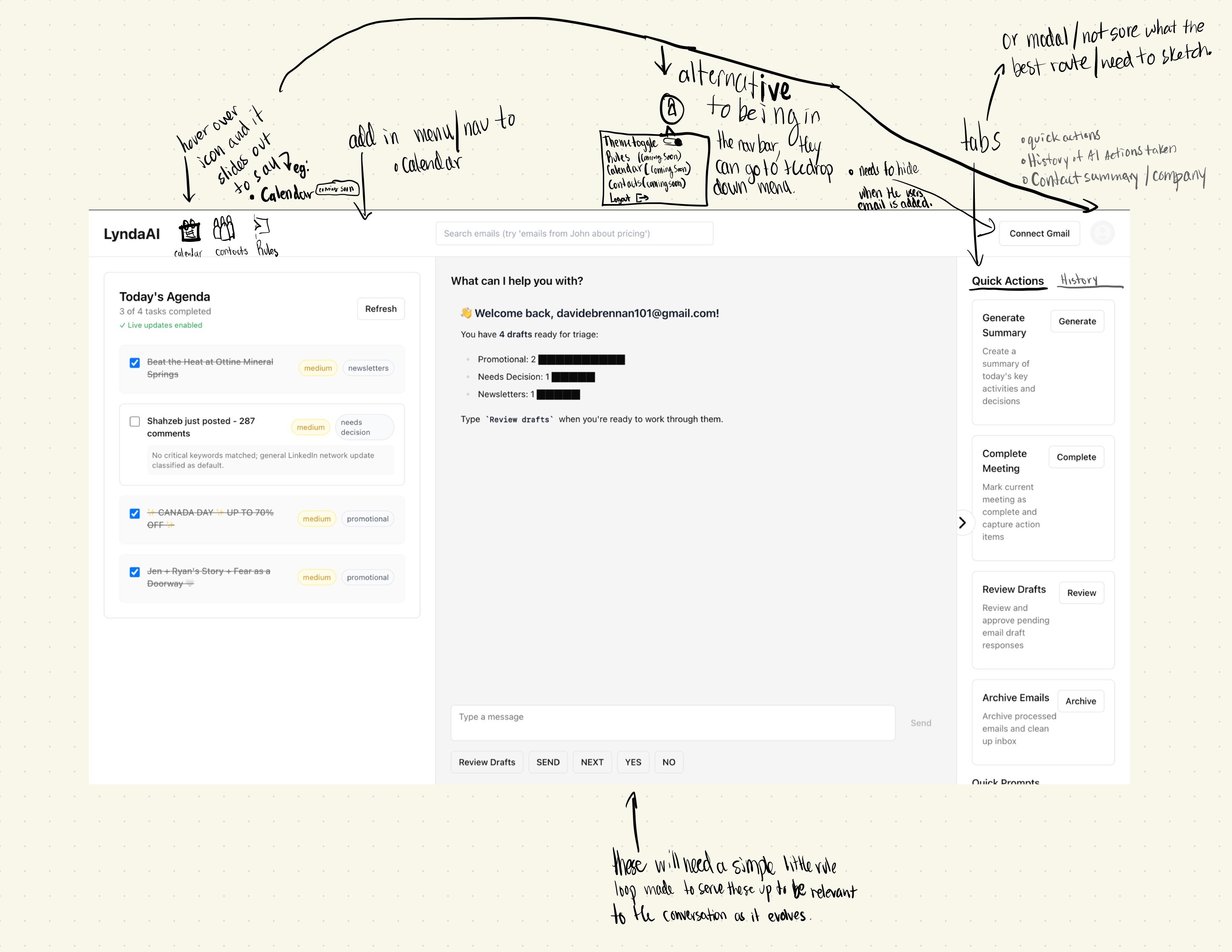
While the frontend interface was being tested, debugged and updated- and before exposing the full app, we ran a minimalist test:
Connected testers’ Gmail accounts to the backend.
Ran ingestion, triage, and draft generation.
Injected drafts and folder moves directly into Gmail without requiring them to use the Lynda UI.
This let us validate value quickly without forcing a new app into people’s workflow.
UX/UI Outcomes
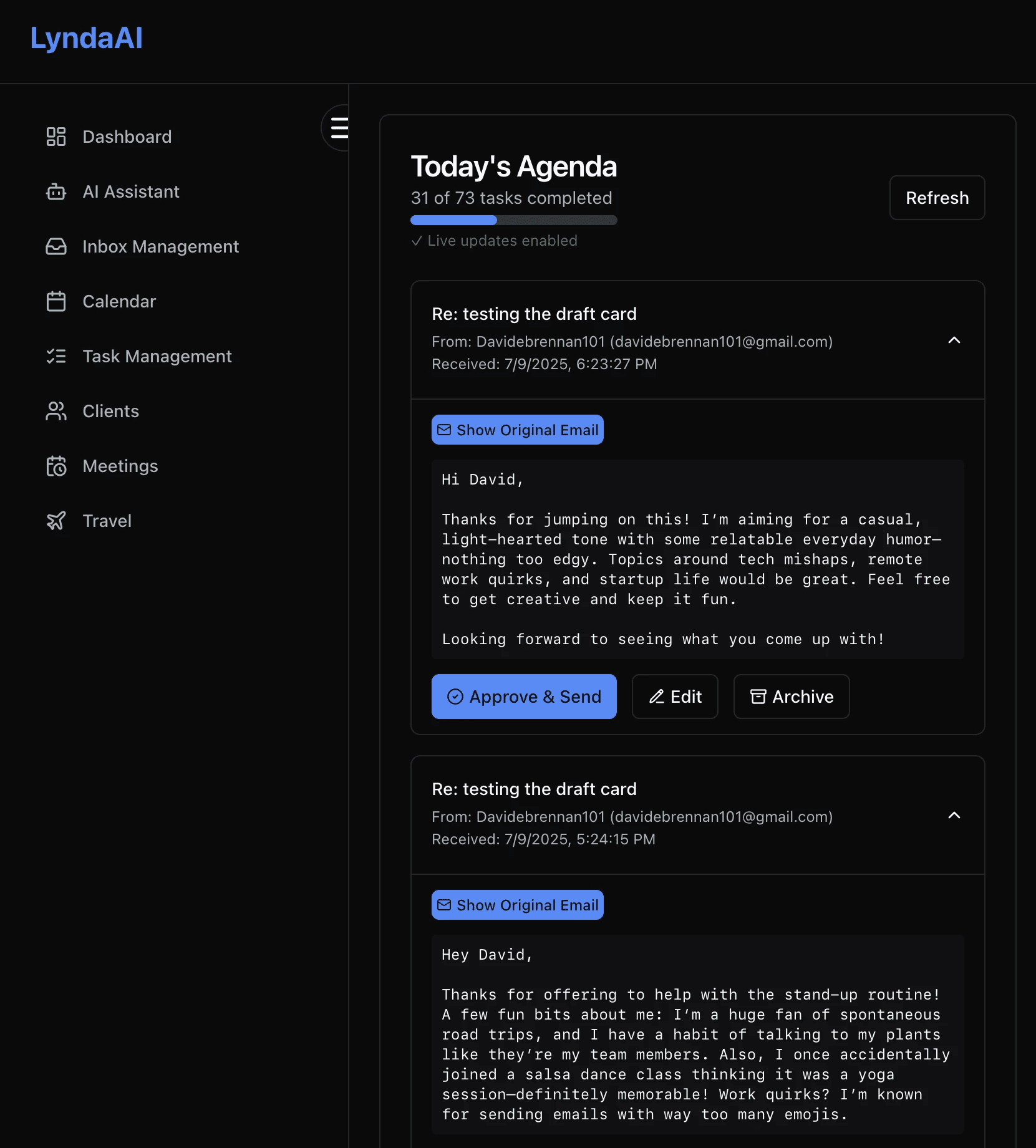
List of agenda items derived from recent emails.
Actions taken by Orchestrator can be reversed
Progress indicator (“X of Y tasks completed”).
AI-generated text updates (e.g., “Drafting responses to 3 high-priority emails.”).
Real-time updates via SSE when backend processing completes.
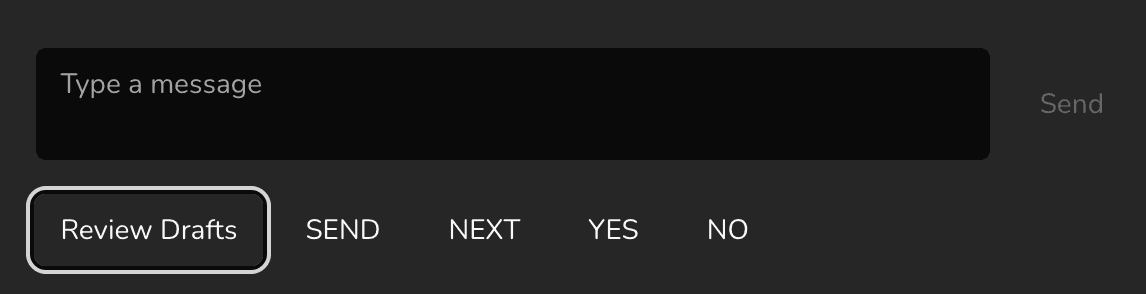
Chat should stream responses when user interaction trigger actions when clicking buttons
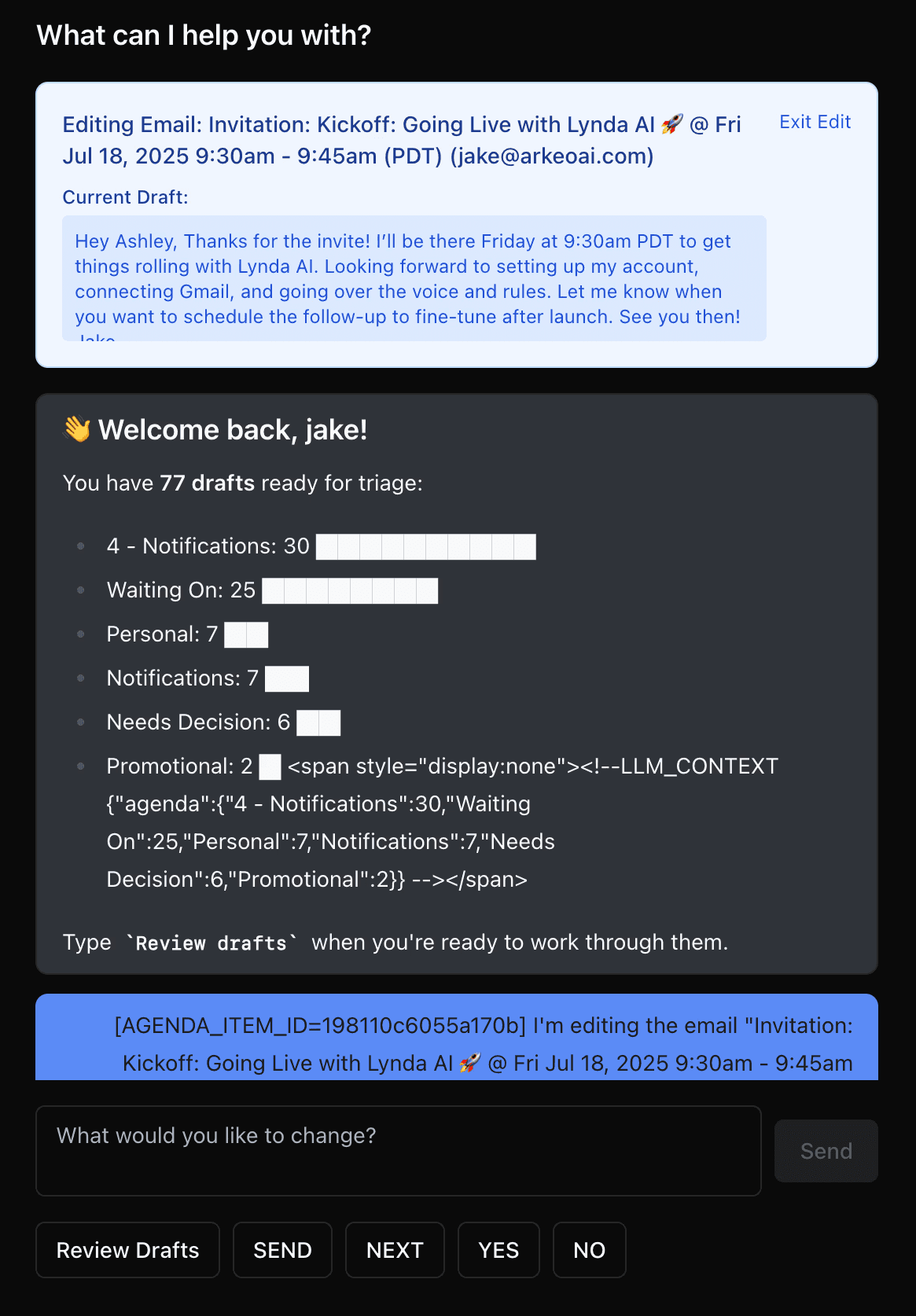
Chat Panel (center)
Live conversation with Lynda.
Users can ask for summaries, delegate tasks, or clarify decisions.
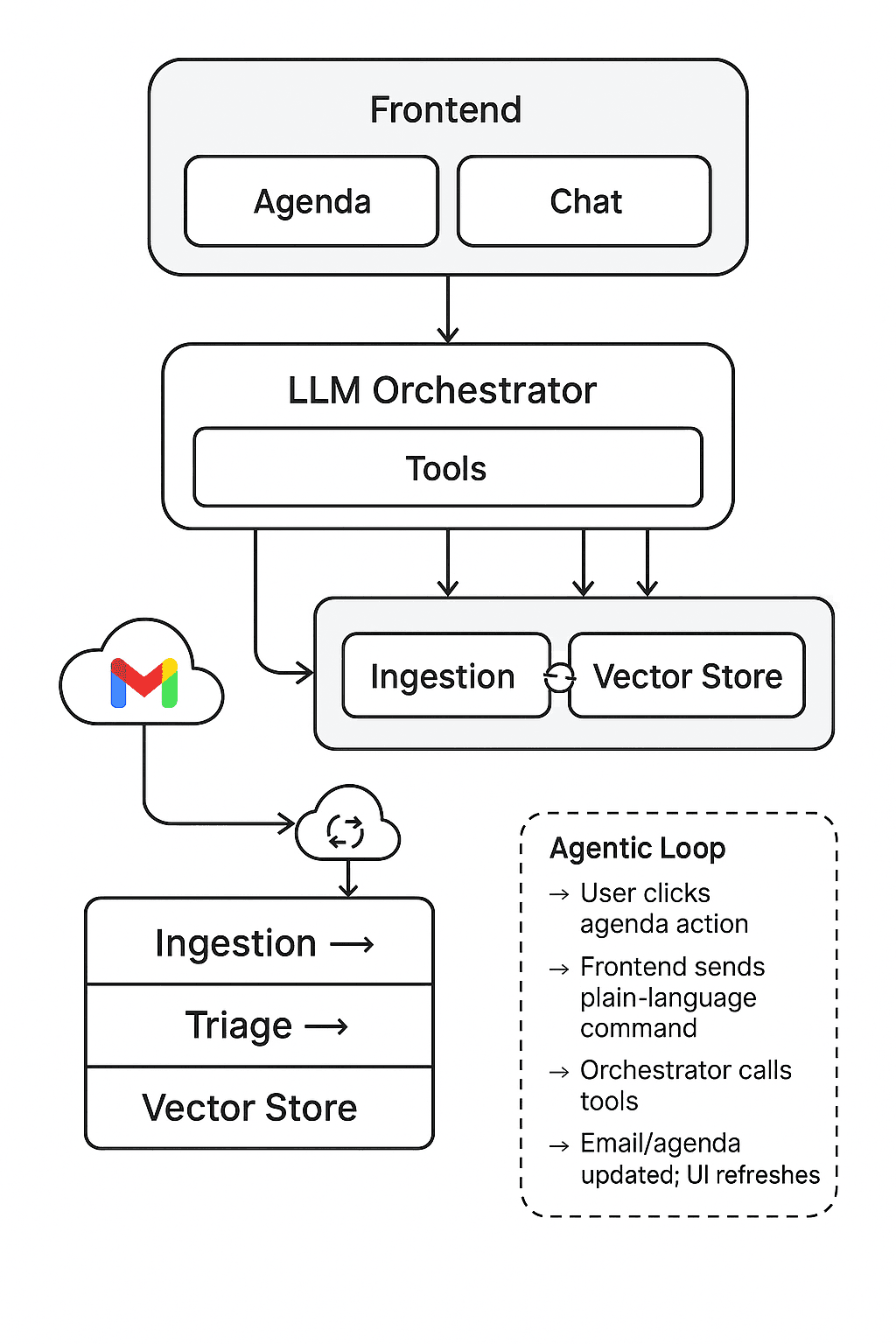
Agenda action buttons generate plain-language commands that are injected into this chat stream for the orchestrator to handle.
Better prototyping needs to happen to determine how to tell users what is the context in view and action to take.
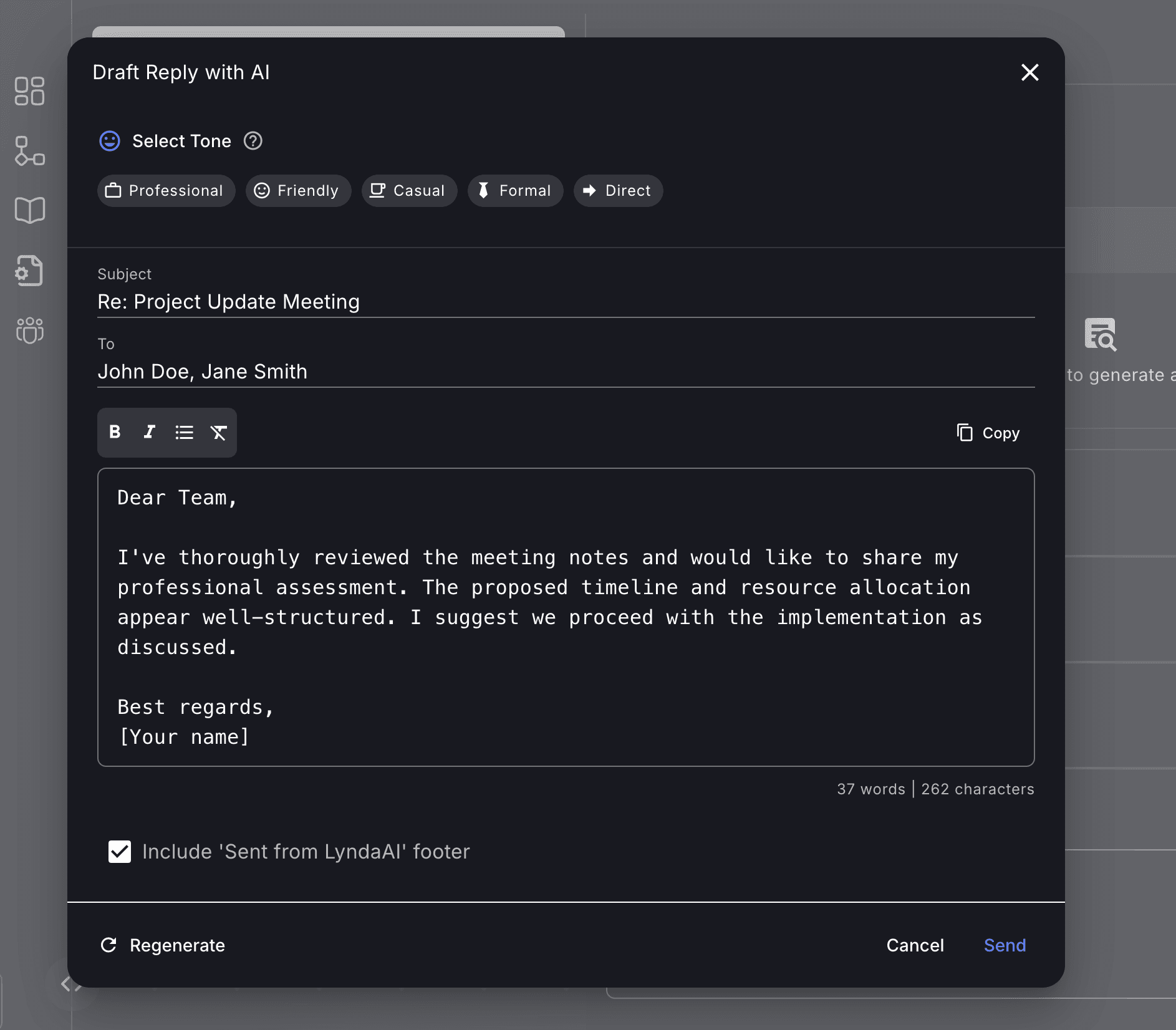
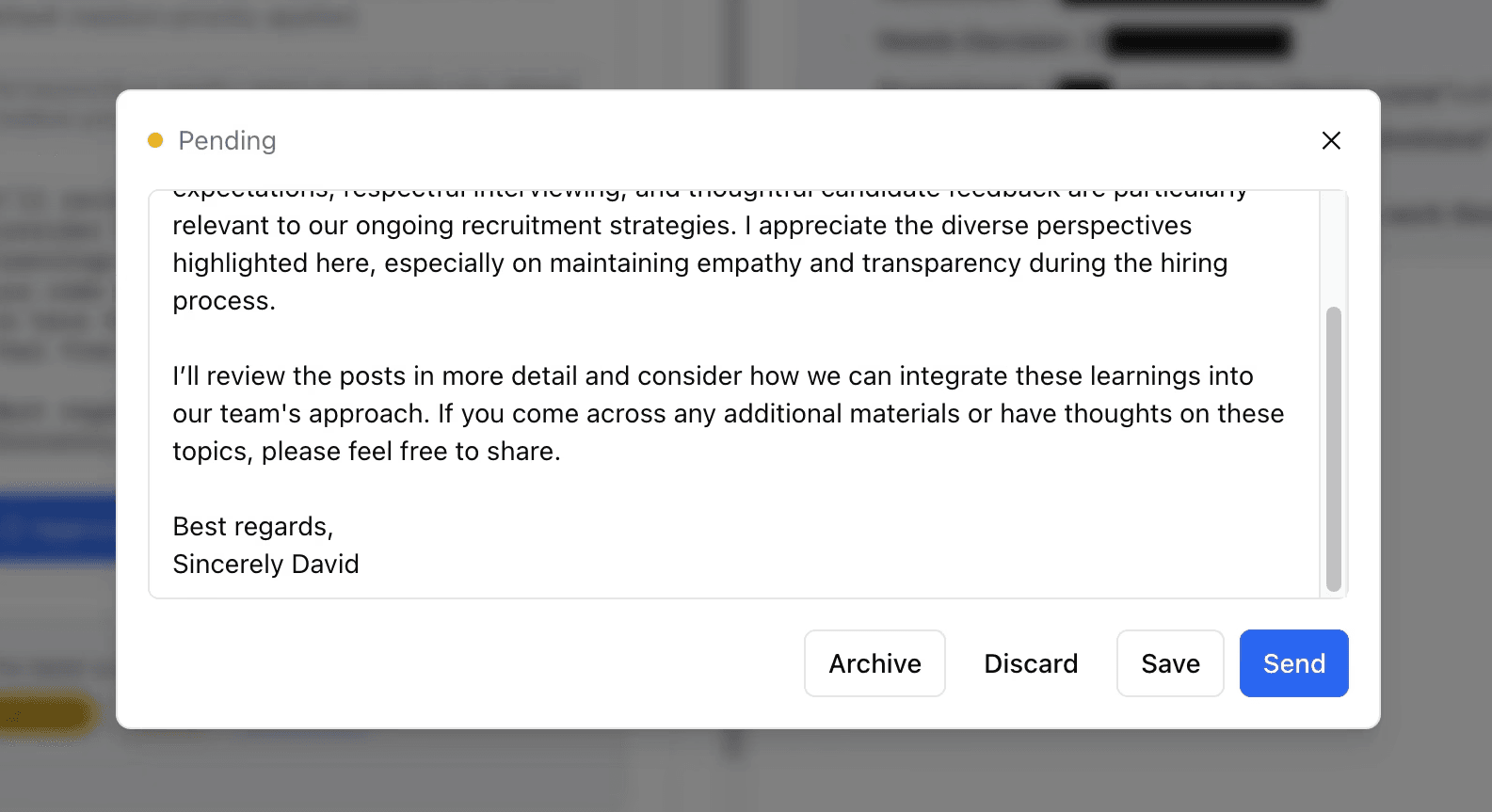
Email Draft / Details (modal)
Edit, archive, save modifications and send emails.
My Role
Sole owner of the frontend codebase.
Shipped ~201 closed PRs between May 13 and July 23, 2025.
Implemented all core UI surfaces:
Dashboard layout and navigation.
AgendaPanel,AgendaCard,ActionCards, chat interface.SSE subscription, WebSocket chat integration, error and loading states.
Co-designer of the agentic architecture and user flows.
Worked with my backend teammate to map:
How user actions become tool calls.
How agenda actions translate to plain-language commands for the orchestrator.
How agenda and chat remain consistent as shared views of the same state.
Contributed to the design of the tools layer and prompt/command formats.
Backend contributions
Light-touch changes: small API adjustments, integration fixes, and UI-driven feedback on API design. Backend services and infra were primarily implemented by my teammate.
Challenges & Tradeoffs
Ingestion performance and cost
Ingesting large historical inboxes and keeping them up to date at scale was expensive and slow.
Given runway constraints, we focused on recent window + pilot users rather than solving all historical mail.
Scope vs depth
From Arkeo, we’d learned not to build a generic analytics engine again, but email is still a broad surface.
We deliberately constrained Lynda to the “EA for your inbox” framing: agenda + triage + drafting.
Aspirational vs implemented features
Some ideas existed only in sketches and mockups during this MVP phase:
Rich long-term memory editing UI.
Advanced trust/citation UX for responses.
More complex agenda quick actions (multi-step macros).
I kept these labeled clearly as vNext concepts in design artefacts rather than misrepresenting them as shipped.
If we’d had more time/runway, my priorities would have been:
Implemented vs Aspirational
Not all the ideas and concepts scoped, sketched and mocked -were able to be implement in our timeframe. Heres what we did highlevel
Implemented
Full frontend (dashboard, agenda, chat, SSE, WebSocket chat).
Email ingestion, triage, and draft generation pipeline.
Agenda feature with real backend data, progress tracking, and action buttons.
Tool-based orchestrator integrating
get_agenda,update_agenda_item,summarize_email,draft_reply, etc.Pilot Gmail-only deployment with measurable time savings.
Dedicated long-term memory management UI.
Rich trust/citation views over LLM responses.
More advanced agenda macros (multi-step actions, cross-tool automations).
Fully optimized, low-latency historical ingestion for very large inboxes.